Filed Under: Technical SEO Resources, Crawling
Summarize this Post using AI





By the end of this article you will have many questions will be answered about Crawl Budget such as : What are the optimal configurations should I do from my end to optimize Crawl budget, how to strategically read the log files in order to understand how Googlebot and other search crawlers interact with your website and other related questions.
If You need help Optimizing for Crawl budget for your website or ecommerce store, you can request my Technical SEO Audit Service to spot crawling traps and indexing bottlenecks on your website.
Optimize My Crawl BudgetWhat is Crawl Budget in Technical SEO Context?
Crawl budget is the practical limit of how many URLs a search engine crawler (like Googlebot) is willing and able to request from a site within a given timeframe, while still considering the site “worth” crawling and safe to crawl without overloading it.
In technical SEO, crawl budget is not one setting. It is the outcome of multiple interacting systems:
- Crawl capacity: How fast and how often crawlers can fetch without harming server stability (host load, response latency, error rates).
- Crawl demand: How much crawlers want to crawl based on perceived site importance, freshness signals, internal link signals, and how often content changes.
- Crawl waste: How much of that crawling is consumed by low-value or duplicate URLs (parameters, facets, session IDs, thin pages, endless calendars, internal search pages).
A useful mental model: crawl budget is “crawler attention.” You don’t “increase” it directly as much as you stop wasting it and remove friction so crawlers spend their time on the URLs that matter.
What crawl budget is not
- It’s not the same as index count (a site can have many indexed pages but inefficient crawling patterns).
- It’s not purely about “speed” (a fast server can still waste crawl resources on duplicates).
- It’s not only for huge sites (even small-to-medium ecommerce sites can create millions of URL variants with filters).
Why Crawl Budget is important in Technical SEO?
Crawl budget matters because crawling is the upstream dependency for nearly everything else: discovery, rendering, indexing, and ultimately ranking.
When crawl budget becomes a real constraint
Crawl budget is most impactful when a site has one or more of the following:
- Large URL volume (ecommerce catalogs, marketplaces, publishers, UGC platforms).
- Rapid change rate (prices, stock, daily content updates).
- Heavy duplication (filters, sorting, tracking parameters, near-identical product pages).
- Weak internal linking (important pages exist but are not strongly connected).
- Server instability (timeouts, 5xx spikes, slow TTFB).
What happens when crawl budget is misallocated
- Important pages get discovered late (or not at all).
- Updated pages get recrawled slowly (stale snippets, outdated prices, old inventory states).
- Crawlers spend time on “infinite spaces” (facets, calendars, internal search pages) instead of revenue-driving pages.
- Rendering becomes a bottleneck when Google has to process too many JS-heavy URLs that shouldn’t exist or shouldn’t be crawled.
The business impact (especially for ecommerce)
- New categories/products take longer to appear in search.
- Out-of-stock URLs keep getting crawled while new in-stock pages are ignored.
- Parameterized duplicates compete with canonical pages (index bloat, diluted signals).
- Crawl resources get burned on non-converting pages instead of “money pages.”
What are Crawl Budget optimization best practices?
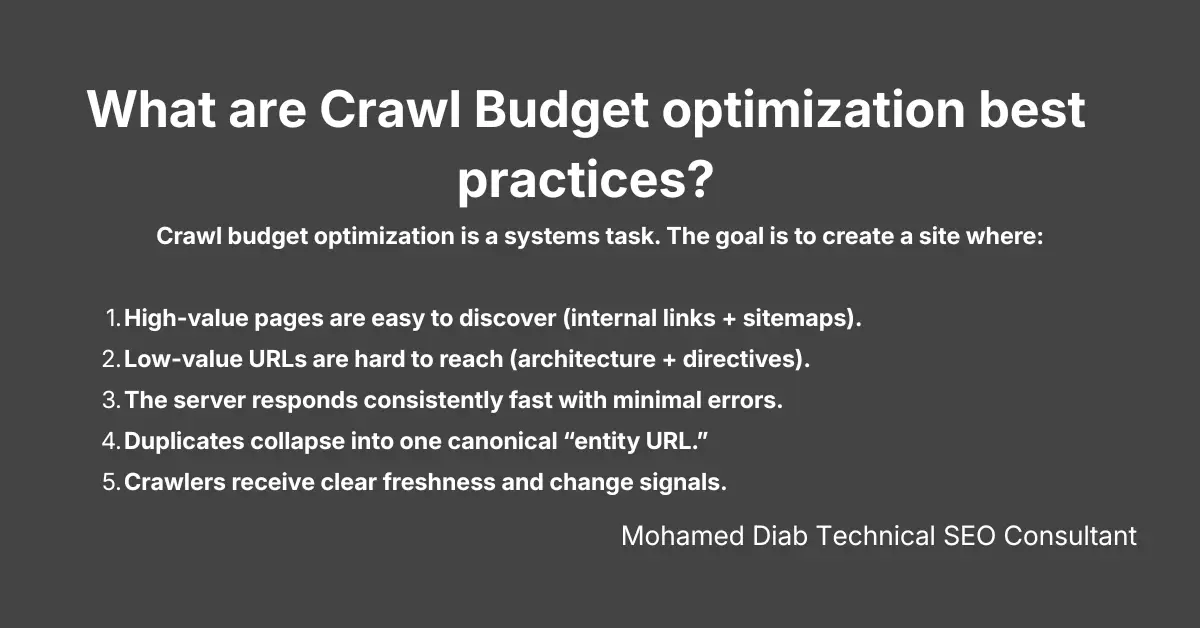
Crawl budget optimization is a systems task. The goal is to create a site where:
- High-value pages are easy to discover (internal links + sitemaps).
- Low-value URLs are hard to reach (architecture + directives).
- The server responds consistently fast with minimal errors.
- Duplicates collapse into one canonical “entity URL.”
- Crawlers receive clear freshness and change signals.
Below are the practices in your outline, with implementation guidance and the “why it works” behind each.
1 – Give static assets long cache policy
What problem does caching solve for crawl budget?
Even though crawlers primarily fetch HTML, site performance affects crawl capacity. If the server is frequently busy delivering the same static files (CSS/JS/images), HTML responses can slow down, and the crawler may reduce request rate.
Below are handful set of .htaccess rules that can be applied to improve the Crawl Budget in a significant way, since .htaccess file in SEO is very critical and important as it controls bot behavior on with you webserver.
What to configure
- Set long-lived caching headers for versioned assets:
Cache-Control: public, max-age=31536000, immutable
- Use fingerprinted filenames (hashing) like:
app.83f1c9.cssinstead ofapp.css
- Ensure correct
ETag/Last-Modifiedbehavior so revalidation is cheap.
What to watch for
- Don’t set long cache for non-versioned assets that change without a URL change.
- Avoid blocking essential CSS/JS that Google may need for rendering (caching is good; blocking is different).
2 – Use CDN (Content Delivery Network)
How does a CDN help crawling?
A CDN reduces latency, offloads traffic, and stabilizes delivery during spikes. Stable response times and low error rates increase crawl capacity and reduce crawl slowdowns triggered by server distress.
What to implement (practical checklist)
- Cache static assets at the edge (images, CSS, JS, fonts).
- Enable modern compression where appropriate (Brotli/Gzip) for text assets.
- Use HTTP/2 or HTTP/3 support for better multiplexing and reduced connection overhead.
- Configure proper origin shielding to protect your server from repetitive bursts.
Crawl-budget-specific considerations
- Ensure the CDN does not cause:
- Random 403/429 for Googlebot.
- Misconfigured bot protection rules that block legitimate crawlers.
- Incorrect caching of HTML that serves inconsistent content to crawlers vs users.
3 – Use VPS Or Dedicated server better than shared hosting
Why hosting tier affects crawl capacity
Search engines throttle crawling when they detect server strain (slow responses, timeouts, high 5xx). Shared hosting creates unpredictable resource contention, which can lead to unstable host signals.
What “better hosting” means in crawl budget terms
- More consistent CPU/RAM allocation so pages respond quickly under load.
- Better ability to tune:
- PHP workers / Node processes
- Database caching
- Reverse proxy caching (Nginx/Varnish)
- Lower probability of neighbor-site abuse affecting your IP reputation or performance.
Minimum technical targets (conceptual)
Instead of chasing one universal number, aim for:
- Low TTFB for HTML.
- Near-zero 5xx for crawlers.
- Controlled 429 usage (only if needed, and never as a default response for bots).
4 – Keep Your XML Sitemaps updated with <lastmod> timestamp
How sitemaps influence crawl behavior
Sitemaps are a crawling hint system: they help discovery, prioritization, and recrawl scheduling.
A reliable <lastmod> improves freshness decisions because it tells crawlers
what changed and when.
Best practices for <lastmod>
- Use actual content update time, not the time the sitemap was generated.
- Update
<lastmod>when meaningful page content changes:- Price, availability, description, canonical target, structured data changes.
- Keep sitemaps segmented:
- Products vs categories vs blog posts
- Indexable vs non-indexable (don’t include noindex URLs)
Common mistakes
- Setting
<lastmod>to “today” for every URL daily (this destroys trust in the signal and can cause inefficient recrawling). - Including parameter URLs or faceted URLs in sitemaps (amplifies crawl waste).
XML Sitemaps plays a big role in discovery for new published pages and you can refer to my post about XML Sitemaps In SEO where I discussed What are XML Sitemaps, examples and other information about XML Sitemaps.
5 – Visually add last updated time in the HTML source code
Why “visible last updated” can matter
A visible timestamp in the HTML (not only in JS) can act as a secondary freshness cue and can also help users trust content recency. From a crawling perspective, consistent freshness patterns can support smarter recrawl decisions when combined with real content updates.
How to implement it correctly
- Place the “Last updated” date as plain text in the HTML body (server-rendered).
- Also add structured data where appropriate (for articles):
dateModifiedanddatePublished
- Ensure the timestamp changes only when content meaningfully changes.
What to avoid
- Updating the date without changing content (creates a mismatch between “freshness signal” and “content reality,” which can waste crawl resources and harm trust).
6 – Why I see “Discovered – currently not indexed” in my Google Search Console Pages Report?
Answer : This status usually means Google is aware of the URL but has postponed crawling it to manage crawl resources. Common underlying causes include:7 – Strategically add Internal Links to money driving pages
Why internal links are crawl budget controls
Internal linking is a crawler routing system. It:
- Helps discovery (new pages get found faster).
- Signals importance (crawl demand increases for heavily-linked pages).
- Concentrates crawl paths (reduces reliance on random deep crawling).
A practical internal linking strategy for crawl efficiency
- Strengthen paths to:
- Top categories
- High-margin products
- High-converting landing pages
- Use contextual links in:
- Category copy blocks
- Editorial content (blog guides)
- “Related products” and “Top sellers” modules
- Fix orphan and near-orphan pages:
- If a page must exist and rank, it must be linked.
Crawl-budget-specific warning for ecommerce
Avoid auto-generated internal links that explode URL paths, such as:
- “Filter links” that create endless combinations.
- Internal search result pages linked sitewide.
These create crawl traps and multiply near-duplicate URLs.
8 – Disallow unnecessary pages from Crawling and Indexation from Robots.txt file
What robots.txt can and cannot do
Disallowcan prevent crawling of specified paths.- It does not guarantee deindexing if URLs are already known externally (because the crawler may keep the URL indexed without fetching content).
What to disallow (common crawl-waste sources)
- Internal search:
/search?q=
- Faceted filters and sort parameters when they create duplicates:
?color=?size=?sort=
- Cart/checkout/account:
/cart/checkout/my-account
- Session IDs and tracking parameters (ideally eliminated, but disallow if unavoidable).
The strategic rule
Use robots.txt to block infinite spaces and clearly low-value systems pages, but don’t block URLs you still need Google to understand for canonical consolidation or proper indexing decisions.
9 – Canonicalizing variations of the same URLs to the master version of this URL
Why canonicalization is a crawl budget multiplier
Canonical tags help consolidate duplicate or near-duplicate URLs into a single preferred URL, reducing crawl waste.
- Reduces index bloat (fewer duplicates stored/indexed).
- Reduces crawl waste over time (crawlers learn which URL matters).
- Consolidates ranking signals (links, internal relevance signals).
Where canonicalization is most important
- Faceted navigation pages
- Sorting variations (
?sort=price_asc) - Tracking parameters (
?utm_source=…) - Product variants with near-identical content
- Pagination patterns (handled carefully depending on intent)
Canonical best practices
- Canonical must point to a 200 OK, indexable page.
- Canonical should be consistent:
- Same canonical declared across duplicates
- Avoid canonical chains (A→B→C)
- Canonical should match internal linking:
- If internal links prefer a parameter URL but canonical points elsewhere, crawlers receive mixed signals and keep revisiting variants.
When canonical alone is not enough
If parameter URLs create massive infinite combinations, canonical tags may not stop crawling quickly enough. In those cases, combine:
- Internal linking control
- Parameter handling (platform-specific)
- robots directives (selective disallow)
- Noindex (when crawling is allowed but indexing is not desired)
Frequently Asked Questions about Crawl Budget Technical SEOs commonly ask
1 – What is the difference between Crawling, Indexing and Rendering?
- Crawling: Fetching a URL to retrieve its resources (HTML, sometimes linked assets).
- Rendering: Executing page code (especially JavaScript) to generate the final DOM and understand content that isn’t present in raw HTML.
- Indexing: Processing and storing content/signals so the page can appear in search results.
In practice: a URL can be crawled but not rendered (if rendering is deferred), and it can be crawled/rendered but not indexed (if it’s low quality, duplicate, blocked by directives, or deemed not useful).
2 – How render-blocking scripts affect Crawl Budget?
Render-blocking script direct affect Crawl Budget through blocking the Critical Rendering Path for a specific Webpage to fully hydrated in Browser.
Render-Blocking Scripts here within this Context refers to useful scripts which having attributes in calling these scripts in rendered DOM to block the Critical Rendering Path until execution for this scripts, which calculates from the computing time to fully Render the page.
That’s How in essence Crawl Budget is affected by render-blocking scripts, as it stays useless until Chromium Engine fully hydrate this page, which directly affects the Paint Time for the webpage
3 – How Server Response Times impact Crawl Budget?
Server Response times impact Crawl Budget through a directly proportional relationship, which means the Total Crawl Requests + Total downloaded size (In bytes) + average response time = Crawl Budget assigned to your website from Googlebot end.
In Essence, the more Google was able to download more content with low average response time, this is a direct signal for Google to “Yes, Go and there is a healthy room for more Crawl Requests” specifically “More Crawl Budget”.
And through navigating from Google Search Console -> Settings -> Crawl Requests you can see the below screenshot for Your website.

Screenshot from Google Search Console showing total crawl requests, total downloaded size and average response time
4 – Does Crawling gets affected by Content Quality and E-E-A-T Signals?
Indirectly, yes. Crawl demand is influenced by perceived site value and update frequency. Sites that consistently publish useful content and earn strong internal/external signals often get crawled more frequently because the search engine expects new or updated information to be worth fetching.
However, content quality doesn’t “force” crawling if crawl capacity is constrained. If the server is unstable, crawlers may still reduce activity even if the content is excellent.
Practical takeaway: improve both sides:
- Capacity (server stability + performance)
- Demand (internal linking, freshness signals, content usefulness)
5 – Why I see “Crawled – Currently But Not Indexed” in my Google Search Console Pages Report?
This status usually means Google fetched the URL but decided not to index it (at least for now). Common underlying causes include:
- Duplicate or near-duplicate content where another URL is preferred.
- Thin content that doesn’t add distinct value.
- Soft 404 behavior (page returns 200 but content suggests “not found” or empty state).
- Internal linking suggests low importance (or the URL is only reachable via weak paths).
- Canonical conflicts (declared canonical differs from Google’s selected canonical).
The technical SEO approach is:
- Confirm the page’s uniqueness and intent.
- Ensure correct canonicalization and internal links.
- Remove crawl traps that generate many similar URLs competing for indexing.
I have wrote a complete guide on “Crawled – currently not indexed” , it’s way more detailed about the cause and possible fixations for this issue.
6 – Is “Settings -> Crawl Stats” tab in Google Search Console relatable to Crawl Budget?
Yes. Crawl Stats is one of the most direct datasets for observing how Googlebot interacts with your site over time.
It helps diagnose:
- Whether crawling is increasing, stable, or declining.
- Whether changes in server behavior (errors, timeouts) correlate with crawl slowdowns.
- Which content types and response codes dominate crawl activity.
Use it as a trend and anomaly detector, then validate details with server log analysis.
7 – In “Settings -> Crawl Stats” tab in Google Search Console, What does “By file type” means?
“By file type” categorizes crawled requests by the type of resource Googlebot fetched, commonly including:
- HTML pages
- Images
- CSS
- JavaScript
- Other file formats (PDF, etc.)
Why it matters for crawl budget:
- If crawling is heavily consumed by non-HTML assets, it may indicate rendering-heavy setups, poor caching, or inefficient resource discovery.
- If HTML crawling is low relative to site size, it may signal crawl traps, server constraints, or weak discovery.
8 – In “Settings -> Crawl Stats” tab in Google Search Console, What Does “By response” means?
“By response” groups crawler requests by HTTP response category, such as:
- 200 (OK)
- 301/302 (redirects)
- 304 (not modified)
- 404 (not found)
- 5xx (server errors)
Why it matters:
- High redirects waste crawl resources (especially chains).
- High 404 indicates broken internal links or stale URL generation.
- 5xx and timeouts reduce crawl capacity because the host looks unstable.
9 – In “Settings -> Crawl Stats” tab in Google Search Console, What Does “By Googlebot type” means?
Google uses different crawler identities for different purposes (e.g., smartphone vs desktop user agents, and specialized bots for images or ads-related crawling).
This report helps you understand:
- Whether Google primarily crawls your site as mobile (important for mobile-first indexing).
- Whether image-heavy sites are seeing a significant share of image crawling.
- If crawl patterns differ across bot types (useful when debugging rendering or mobile-specific performance issues).
10 – In “Settings -> Crawl Stats” tab in Google Search Console, What Does “By purpose” means?
“By purpose” explains why Googlebot crawled URLs. Typical purposes include:
- Discovery: Finding new URLs.
- Refresh: Re-crawling known URLs to check for updates.
- Re-crawl after changes: Sometimes triggered by sitemap updates or detected content changes.
Why it matters:
- If discovery dominates, your site may be producing many new URLs (sometimes a red flag for crawl traps).
- If refresh dominates but important pages remain stale, your update signals or internal linking priorities may be misaligned.
11 – In “Settings -> Crawl Stats -> Host Status” tab in Google Search Console, What Does “Server connectivity” and “Acceptable fail rate” means?
- Server connectivity indicates whether Googlebot could reliably connect to your server when attempting requests.
- Acceptable fail rate is Google’s tolerance threshold for failures over time before it reduces crawling to protect your server and its resources.
If server connectivity is unstable, crawl capacity drops. Fixing infrastructure stability (DNS, TLS, origin performance, firewall rules) often restores crawling levels.
12 – In “Settings -> Crawl Stats -> Host Status” tab in Google Search Console, What Does “robots.txt fetch” and “Acceptable fail rate” means?
Google periodically fetches robots.txt to understand crawl permissions.
- robots.txt fetch indicates whether Google can retrieve the file successfully.
- Acceptable fail rate reflects how many failures are tolerated before Google treats robots rules as unreliable.
If Google can’t fetch robots.txt consistently, it may reduce crawling or behave cautiously. Ensure:
- robots.txt returns 200
- Fast response time
- No intermittent 5xx
- No geoblocking or bot-blocking at the edge
13 – In “Settings -> Crawl Stats -> Host Status” tab in Google Search Console, What Does “DNS resolution” and “Acceptable fail rate” means?
- DNS resolution reflects Googlebot’s ability to translate your domain name into an IP address consistently.
- Acceptable fail rate is the threshold for DNS failures before crawling is throttled.
DNS issues can silently destroy crawl capacity because crawlers can’t even reach your host. Best practices include:
- Reliable DNS provider
- Multiple nameservers
- Reasonable TTL configuration
- Avoiding misconfigured DNS records during migrations